 Marko Davitkov
Updated :
Marko Davitkov
Updated :
If you need to replace the credit card listed on your Art Storefronts account, you can go in and change it. This applies to all customers, from Artists to Print Studios.
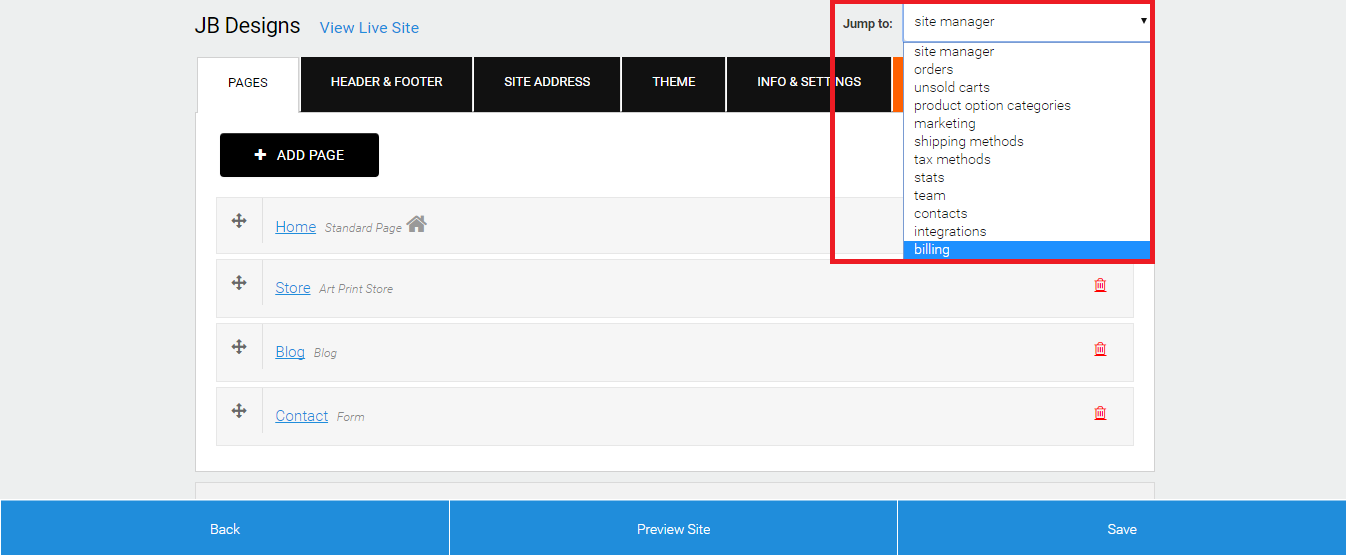
- Log in to your Art Storefronts Control Panel and in the Jump To Menu, select the Billing.
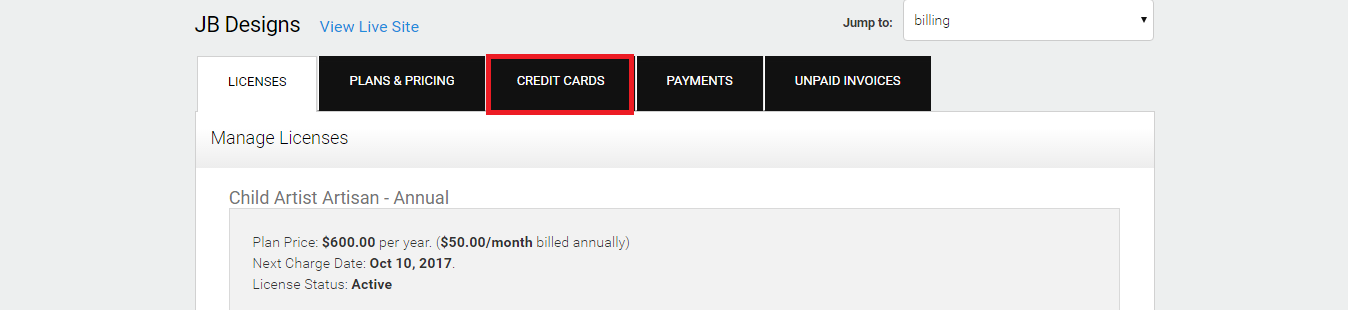
- Click on the tab labeled Credit Cards.
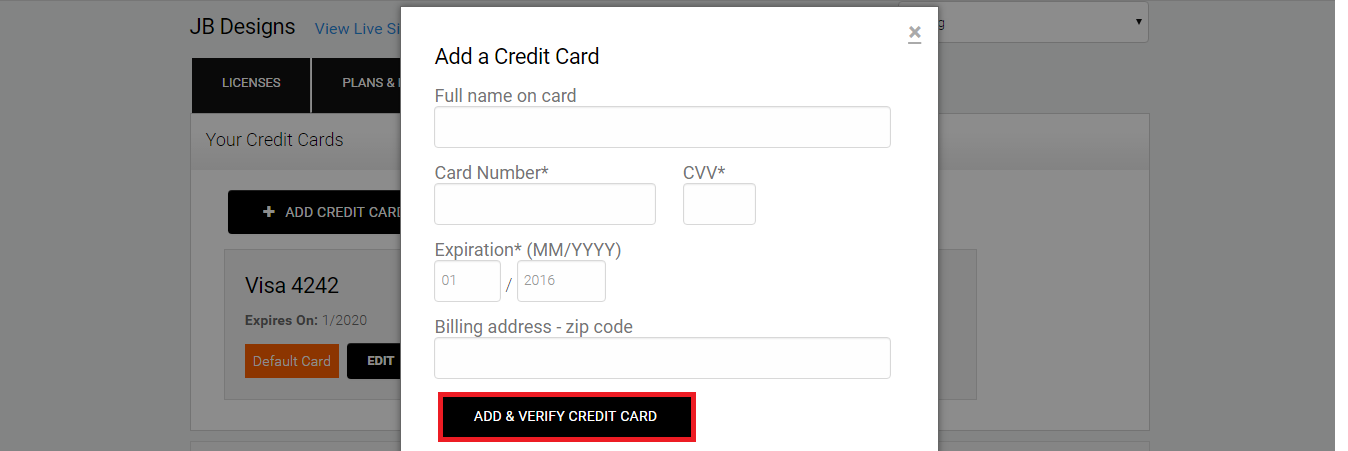
- Click Add Credit Card.
Please Note: If you have more than one card on file, you will want to make sure the card you want to use as your primary is set to the Default Card.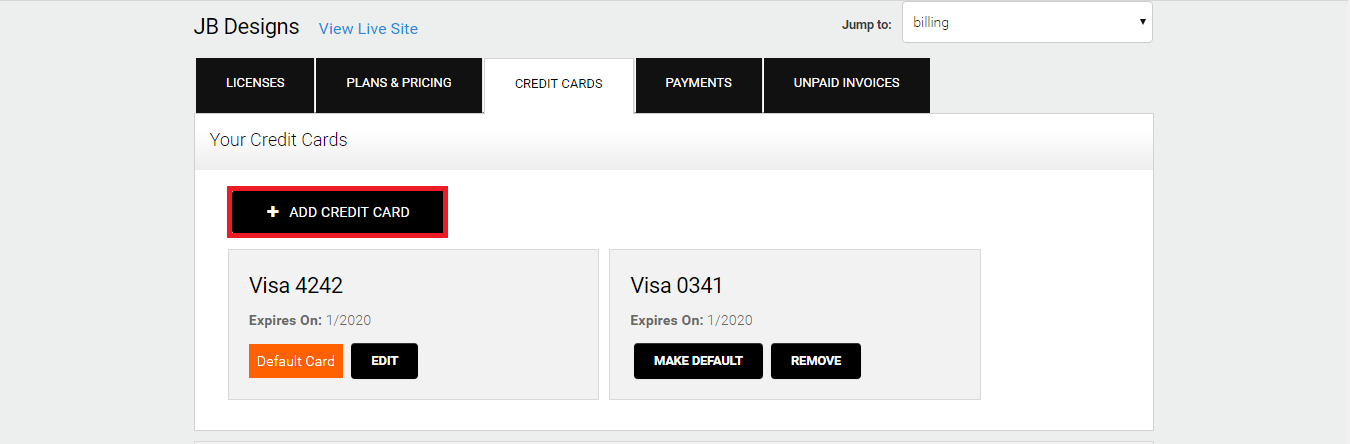
- Enter the Full Name on Card.
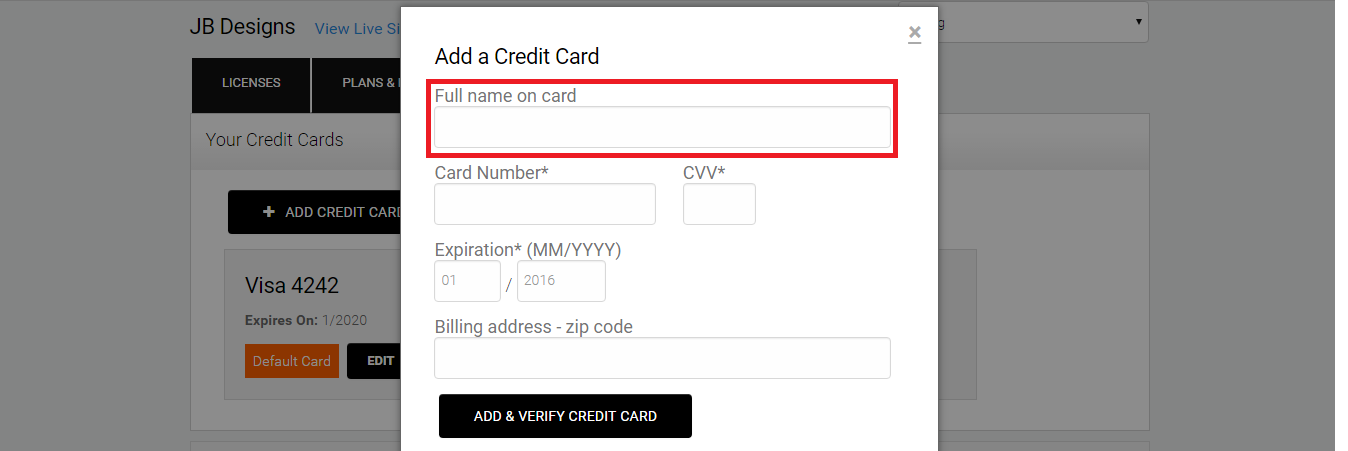
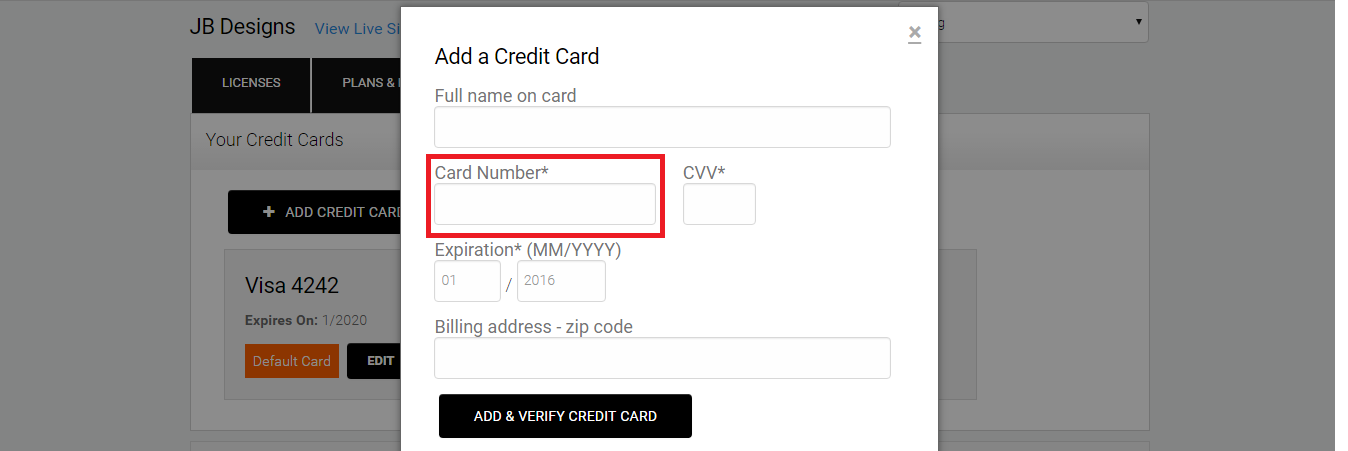
- Enter the Card Number.
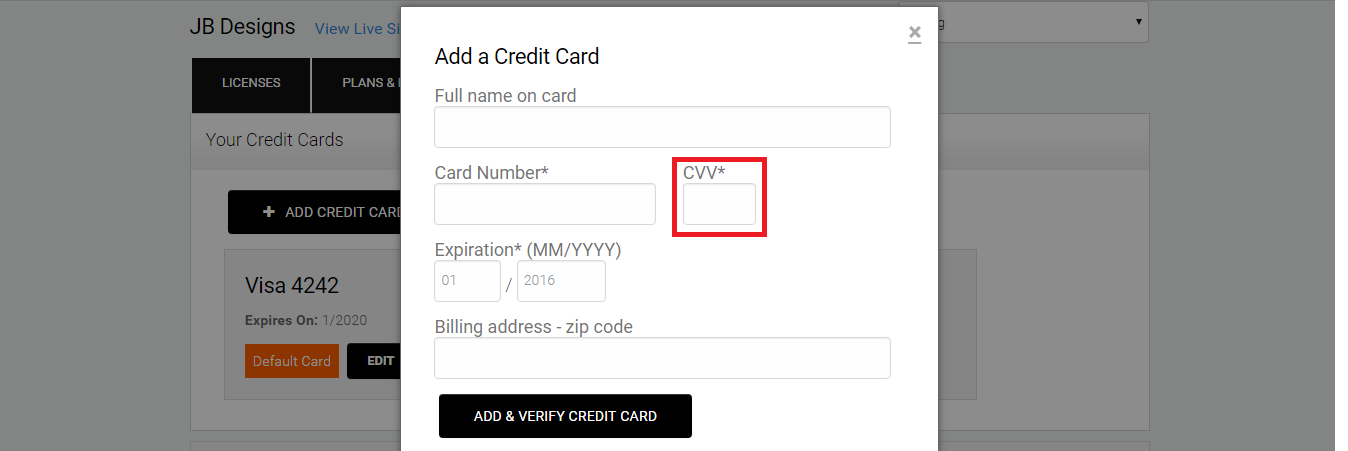
- Enter the CVV.
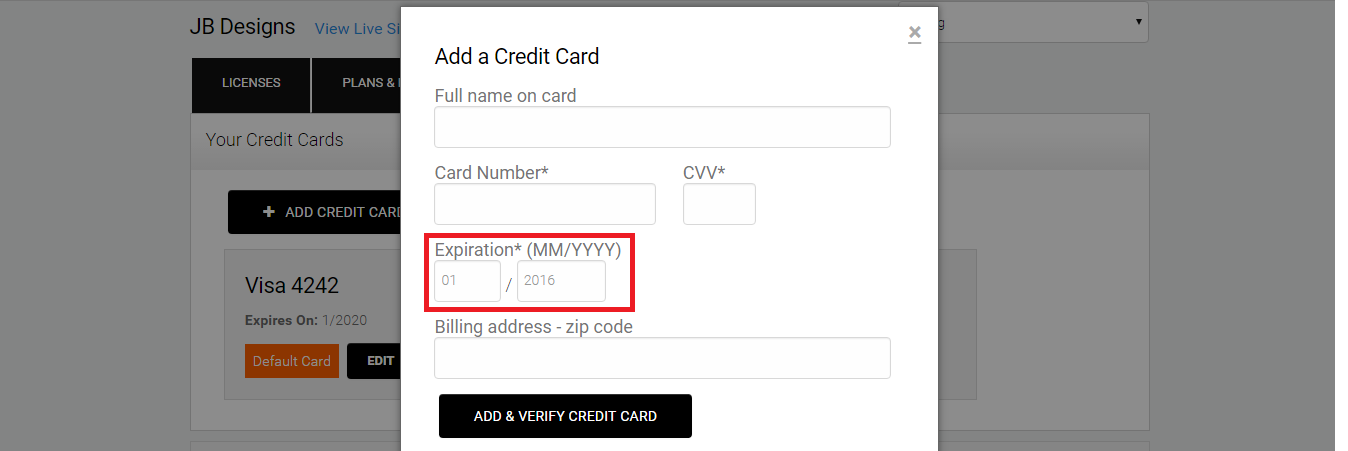
- Enter the Expiration Date.
- Enter the Billing Address Zip Code.
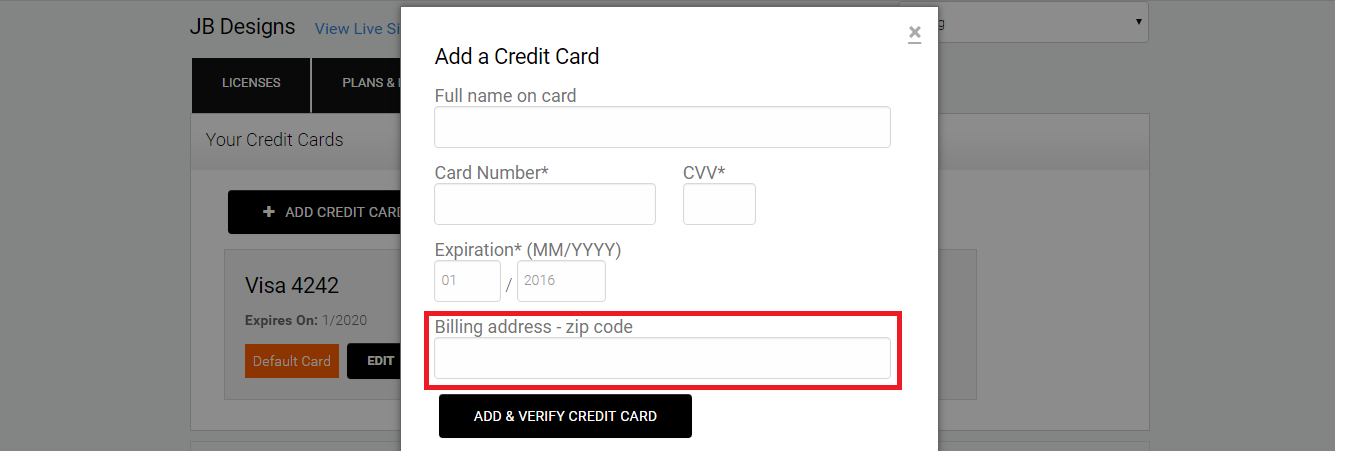
- Click Add & Verify Credit Card and your new card will be added to your account.
- Once the new card is active on the page, last step is to make it a "Default" card used for payments.